ZIP Compression Explained: What Gets Smaller and What Does Not
Understand DEFLATE, already-compressed formats and practical ways to reduce an archive.
ZIP is a container format that can store multiple files and optional folder paths. Most ZIP tools use DEFLATE, which replaces repeated byte patterns with shorter references.
Whether the archive shrinks depends on the data, not the filename alone.
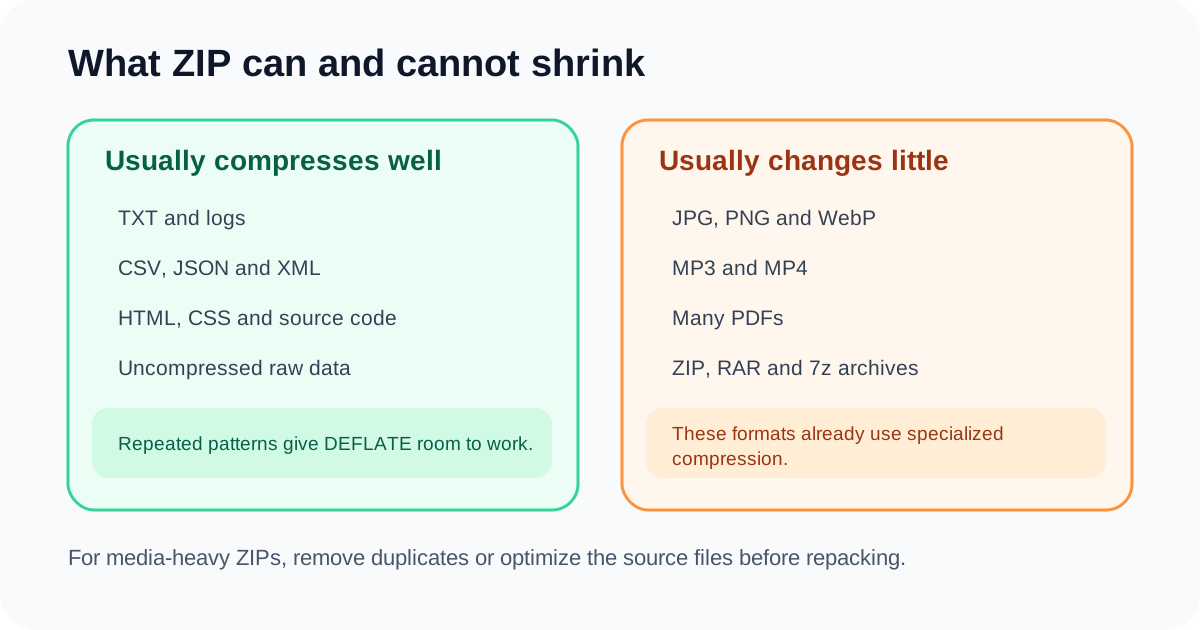
Why repetition matters
Logs, CSV, JSON, HTML and source code repeat words, delimiters and patterns. DEFLATE can represent those repetitions efficiently.
Random or already-optimized data has fewer useful patterns and offers little reduction.
Why media resists ZIP compression
JPG, WebP, MP3 and MP4 already use codecs designed for their content. PNG uses lossless compression optimized for image rows.
A general-purpose ZIP compressor cannot easily improve on those specialized representations.
Compression level is not a quality setting
ZIP level changes how hard the algorithm searches for compact representation. It does not reduce photo quality or rewrite file content.
Higher levels take more CPU and may produce only tiny improvements.
ZIP remains useful without savings
One archive is easier to attach, checksum, transfer and verify than hundreds of separate files. Folder paths and filenames preserve organization.
Use ZIP for packaging even when the byte total remains similar.
Typical behavior
| File type | Compressibility | Reason |
|---|---|---|
| TXT / CSV / JSON | High | Repeated patterns |
| JPG / WebP | Low | Image compression already applied |
| MP3 / MP4 | Low | Media codecs already applied |
| Uncompressed bitmap / raw data | Potentially high | Large repeated structures |
Final checklist
Know the content types
Choose level based on time vs savings
Do not expect quality changes
Verify entry count
Use source optimization for media
Questions people ask
Does ZIP level 9 reduce image quality?
No. It stores the same bytes more or less efficiently.
Why can a ZIP be larger than its files?
Headers and weak compressibility can create overhead.
What is DEFLATE?
A lossless algorithm combining pattern matching and entropy coding.
This article explains the current DocPixel interface and known trade-offs. Requirements from a receiving institution or software provider take priority.